Prisma ORM v6.10.0: no Rust engines for MS SQL Server and PlanetScale
We are in the process of removing the Rust engines from Prisma ORM. If you want to try this, you can configure your generator like this:
generator client {
  provider        = "prisma-client-js" // or `prisma-client`
  output          = "../generated/prisma"
  previewFeatures = ["queryCompiler", "driverAdapters"]
}
In this release, we are excited to move the queryCompiler (which enables using Prisma ORM without Rust engines) into Preview for MS SQL Server and PlanetScale (via the new @prisma/adapter-mssql and existing @prisma/adapter-planetscale driver adapters).
🏡 Manage local Prisma Postgres instances in VS Code
We recently released a database management UI as part of the Prisma VS Code extension to enable visual database management workflows for Prisma Postgres. In this release, we added new functionality to it: You can now manage multiple local Prisma Postgres instances via the same UI.
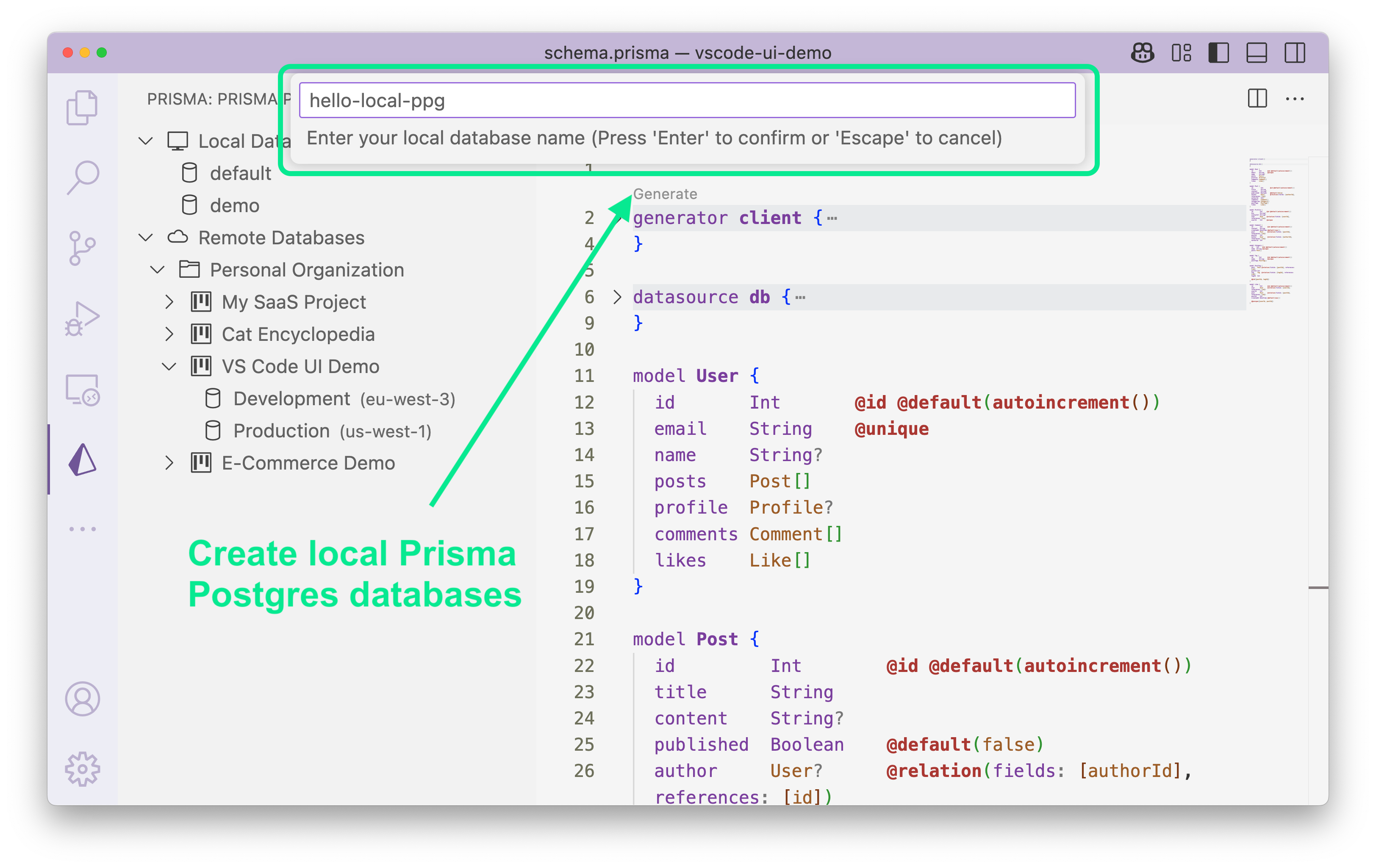
To try it, find the Prisma logo in VS Code’s sidebar and start managing your local Prisma Postgres instances (no Docker required).
☁️ “Push to Cloud”: Easily deploy a local Prisma Postgres instance in VS Code
Local Prisma Postgres instances are perfect for development, but how do you go from local to remote once you’re ready to deploy?
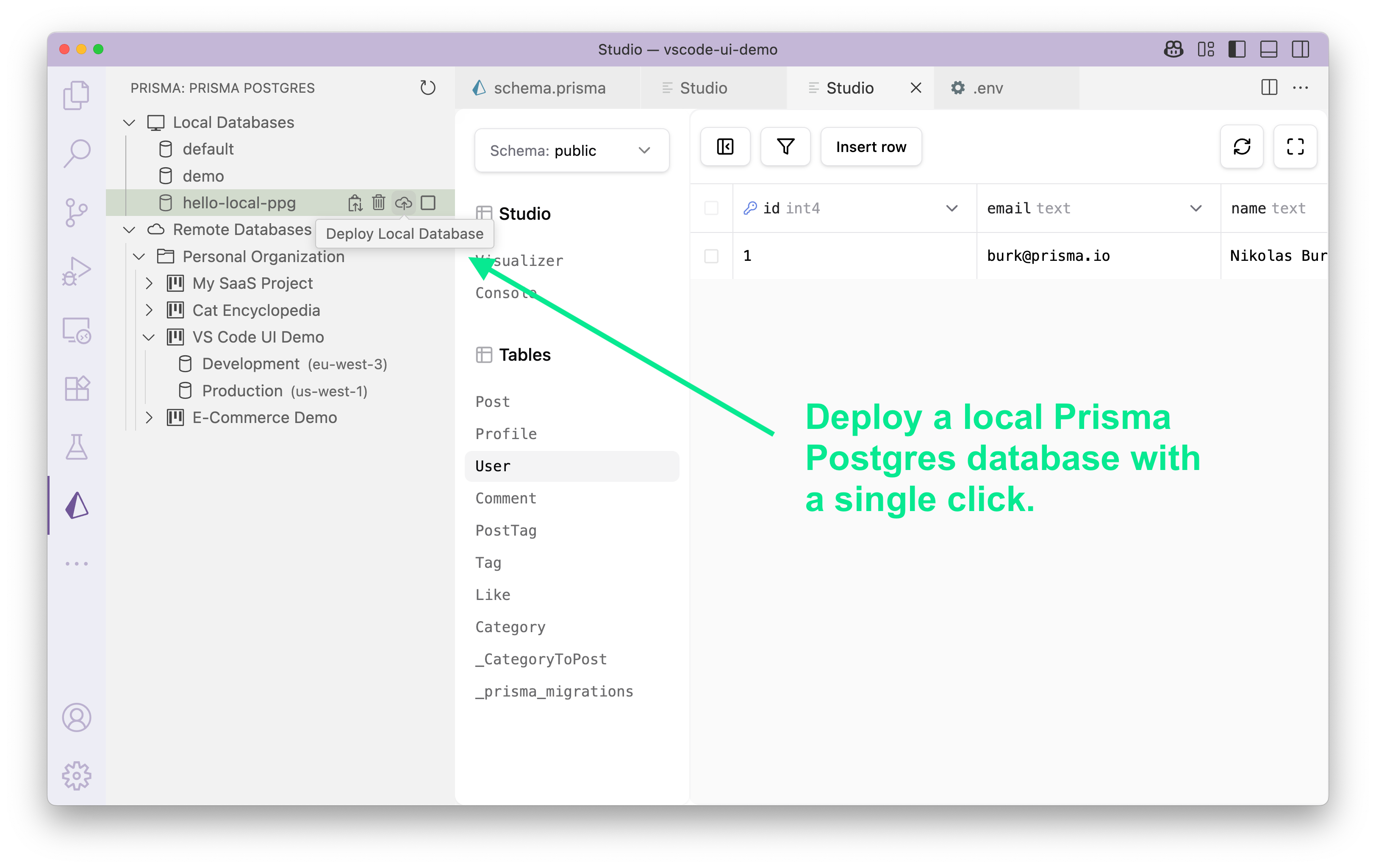
The database management UI in VS Code now has a Push to Cloud button that makes it easy to deploy your local Prisma Postgres so that you can connect to it from your deployed applications.
🧩 Support for shard keys on PlanetScale (Preview)
Sharding is a popular technique to scale up when database load grows. As of this release, Prisma ORM supports sharding on PlanetScale natively via the new @shardKey and @@shardKey attributes in the Prisma schema which you can apply to the fields in your models that should serve as shard keys in your database setup:
// Single-column shard key
model User {
  id     String @default(uuid())
  region String @shardKey
}

// Multi-column shard key
model Customer {
  id         String @default(uuid())
  country    String
  customerId String
  @@shardKey([country, customerId])
}
Note that this requires you to set the shardKeys Preview feature flag on your generator definition: previewFeatures = ["shardKeys"].
✨ Local Prisma Postgres now works with any ORM & tool (Early Access)
We recently released direct connections for remote Prisma Postgres so that you can now use it with your favorite ORM or database tool. As of this release, this is also possible for your local Prisma Postgres instances. To try it, run the prisma dev command and use the direct connection string starting with postgres:// in order to connect from any tool.
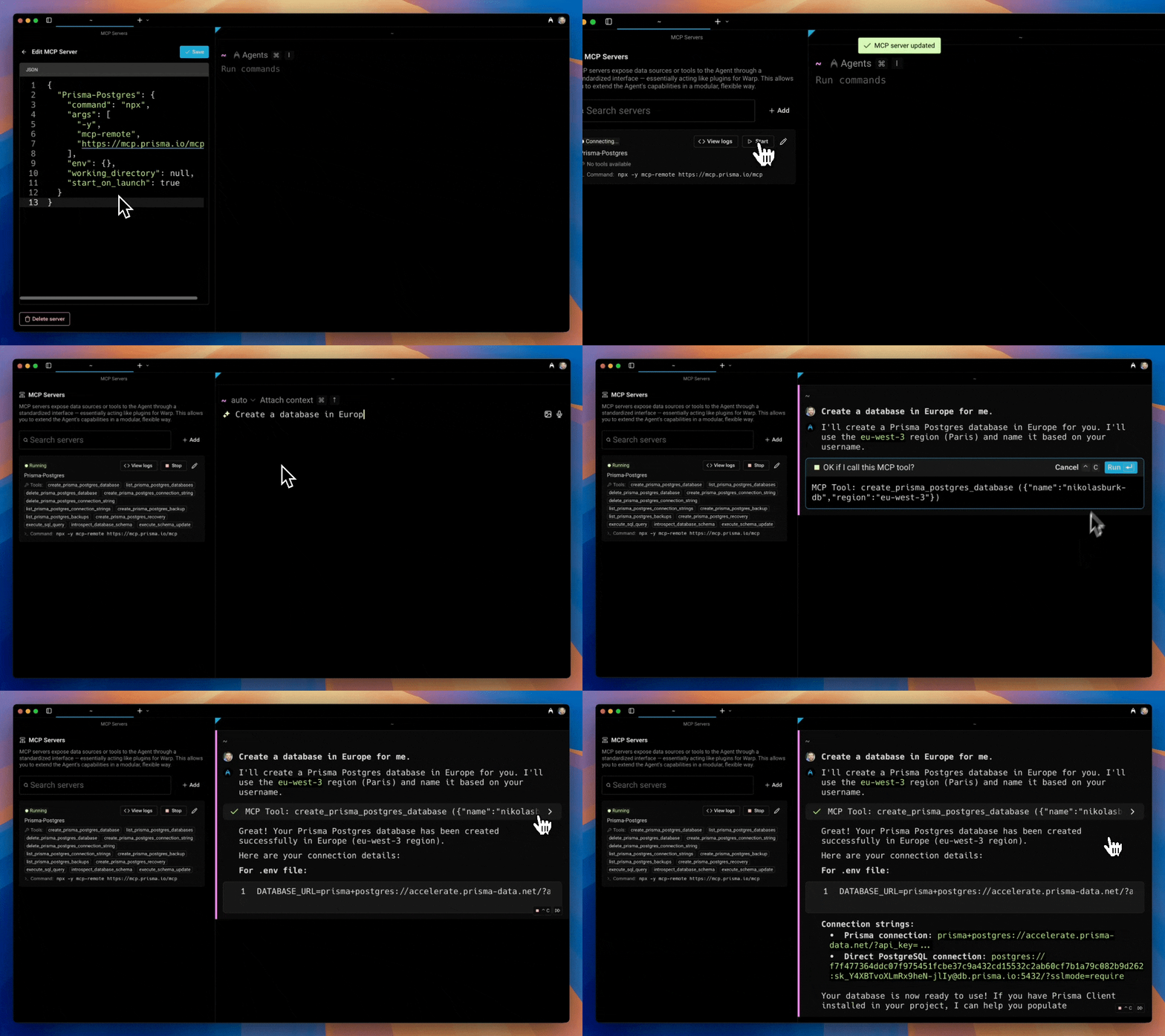
🤖 Let your favorite AI tool manage Prisma Postgres via remote MCP
We just released a new remote MCP server that helps you manage Prisma Postgres instances! It enables your AI tools to help with these workflows:
- Managing databases and connection strings
- Creating and re-instantiating backups
- Querying databases via plain SQL
- Introspecting database schemas
You can start it using the npx -y mcp-remote https://mcp.prisma.io/mcp command.
Here the MCP server is in action, creating a new database directly in the Warp AI terminal: